
理解代码中的一些函数
加入干扰的点
imagesetpixel(image, x, y, color)
说明:x,y 一个点的坐标

加入干扰的线
imageline(image, x1, y1, x2, y2, color)
说明: x1,y1是线的一个端点坐标; x2,y2是线的另一个端口的坐标; 由两点画一条线

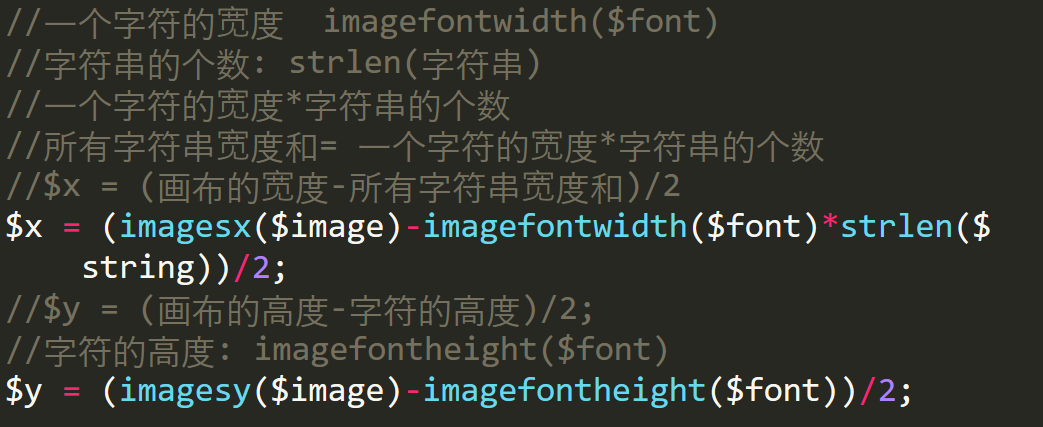
让验证码居于图像的正中
imagefontheight(font)获取字体的高度:
imagefontwidth(font)获取字体的宽度:
strlen(字符串)//获取字符串的长度
imagesx(image) //获取画布的宽度
imagesy(image) //获取画布的高度
最后运行结果
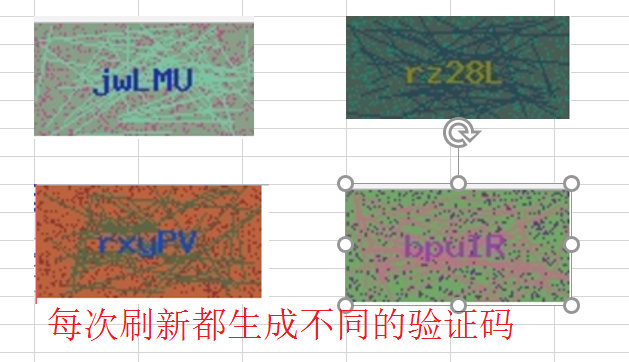
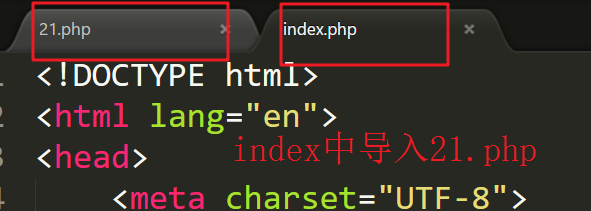
再次完善(和html代码结合起来)
Html代码
<!DOCTYPE html>
<html lang="en">
<head>
<meta charset="UTF-8">
<title>Document</title>
</head>
<body>
<form name='frm' method='post' action=''>
 <table width="30%" border="2" align="center" rules="all" cellpadding="10">
 <tr>
  <th colspan="2">请输入信息</th>
 </tr>
 <tr>
  <th>姓名:</th>
  <th><input type="text" name="username"></input></th>
 </tr>
 <tr>
  <th>密码:</th>
  <th><input type="password" name="userpwd"></input></th>
 </tr>
 <tr> 555556
  <th>验证码</th>
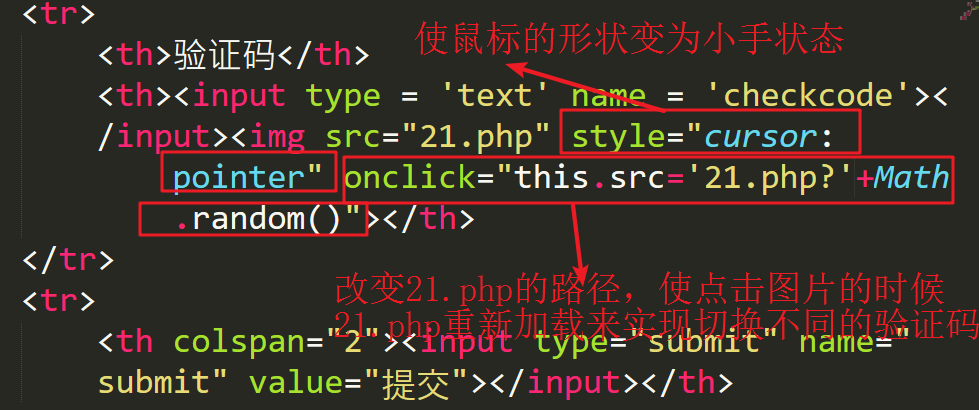
  <th><input type = 'text' name = 'checkcode'></input><img src="21.php" style="cursor:pointer" onclick="this.src='21.php'?+Math.random()"></th>
 </tr>
 <tr>
  <th colspan="2"><input type="submit" name="submit" value="提交"></input></th>
 </tr>
</table>
</form>
</body>
</html>
理解;
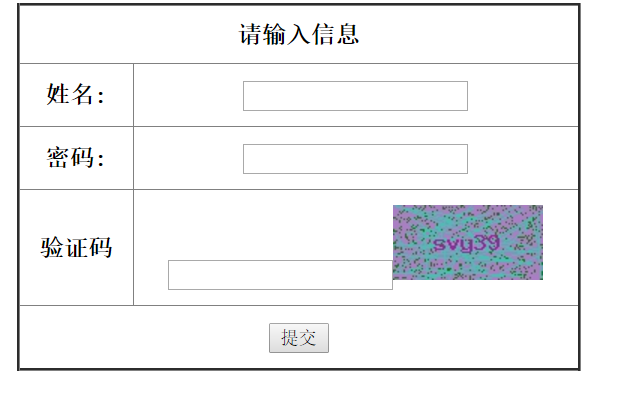
最后结果截图
以上就是本文的全部内容,希望本文的内容对大家的学习或者工作能带来一定的帮助,同时也希望多多支持易采站长站!


