
结果截图;
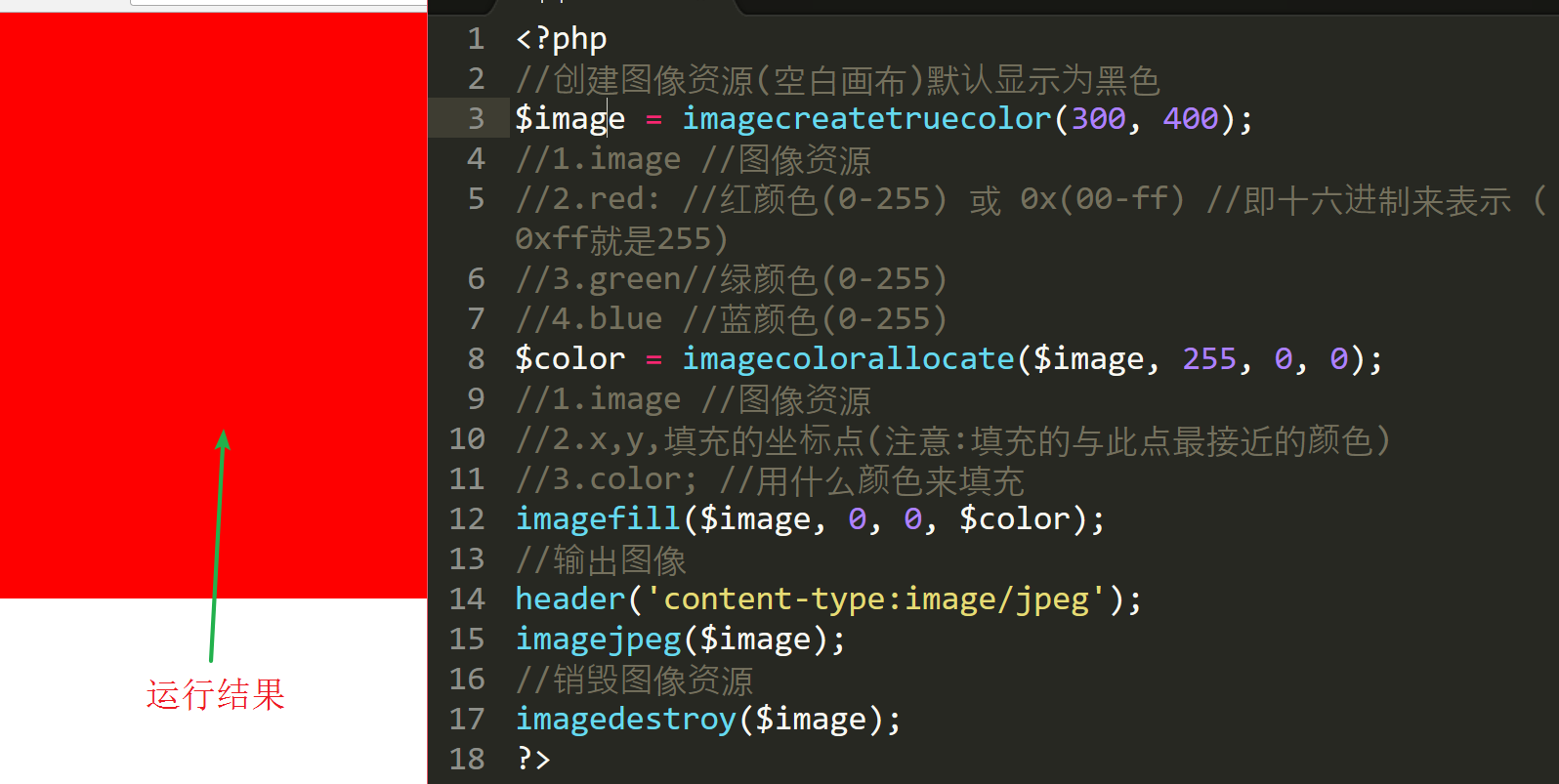
输出图像(以jpeg为例)
输出图像到浏览器
a) header('content-type:image/jpeg'); //设置将图像通过浏览来查看
b) imagejpeg(图像资源)
按文件进行输出图像
a) imagejpeg(图像资源,'图像路径',图像的质量) //质量取值0-100
b) 注意:
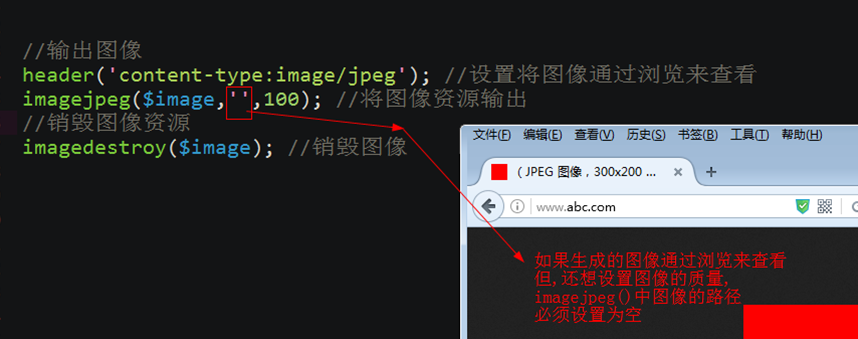
注意:只能jpeg格式才有质量这个参数.
销毁图像
imagedestroy($image); //销毁图像,释放内存资源.
注意: 当前生成几个图像资源,就销毁几个.
验证码的整个代码:
<?php
//实例:让文本居于图像的正中
//创建图像资源(空白的画布)
$image = imagecreatetruecolor(100, 50);
$color = imagecolorallocate($image, mt_rand(20,200), mt_rand(20,200), mt_rand(20,200));
//为图像资源填充颜色
imagefill($image, 0, 0, $color);
//绘制图像
$font = 5;
//验证码的开始
$arr1 = range('a','z');
$arr3 = range('A','Z');
$arr2 = range(1,9);
//array_merge — 合并一个或多个数组
$arr = array_merge($arr1,$arr2,$arr3);
$index = array_rand($arr,5); //随机从原数组中找出5个下标
$string = '';
foreach ($index as $value) { //$value 两个功能,即是$index中的值,又是$arr中的下标
$string .= $arr[$value]; //将得到字符进行连接
}
//验证码的结束
//mt_rand — 生成更好的随机数
//echo mt_rand(1,5);die;
//加入点干扰
$pointcolor = imagecolorallocate($image, mt_rand(20,200), mt_rand(20,200), mt_rand(20,200));
//循环创建1000个干扰点
for ($i=0; $i <1000 ; $i++) {
imagesetpixel($image, mt_rand(0,imagesx($image)), mt_rand(0,imagesy($image)), $pointcolor);
}
//加入线的干扰
$lintecolor = imagecolorallocate($image, mt_rand(20,200), mt_rand(20,200), mt_rand(20,200));
// 循环创建50个线干扰
for ($i=0; $i <50 ; $i++) {
imageline($image, mt_rand(0,imagesx($image)), mt_rand(0,imagesy($image)), mt_rand(0,imagesx($image)), mt_rand(0,imagesy($image)) ,$lintecolor);
}
//一个字符的宽度 imagefontwidth($font)
//字符串的个数: strlen(字符串)
//一个字符的宽度*字符串的个数
//所有字符串宽度和= 一个字符的宽度*字符串的个数
//$x = (画布的宽度-所有字符串宽度和)/2
$x = (imagesx($image)-imagefontwidth($font)*strlen($string))/2;
//$y = (画布的高度-字符的高度)/2;
//字符的高度: imagefontheight($font)
$y = (imagesy($image)-imagefontheight($font))/2;
$stringcolor = imagecolorallocate($image, mt_rand(20,200), mt_rand(20,200), mt_rand(20,200));
imagestring($image, $font, $x, $y, $string, $stringcolor);
//输出图像
header('content-type:image/jpeg'); //设置将图像通过浏览来查看
imagejpeg($image,'',100); //将图像资源输出
//销毁图像资源
imagedestroy($image); //销毁图像


